 Start for freeStart for free
#1 LinkedIn tool for business development, sales and marketing professionals
Cadiance learns how you think - your reasoning, phrasing, the way you build an argument. Then it writes LinkedIn posts that will make you the first name your future clients and customers think of.
And you won't spend hours staring at a blank page to get there.
7-day free trial · Card required · Nothing posts without your approval
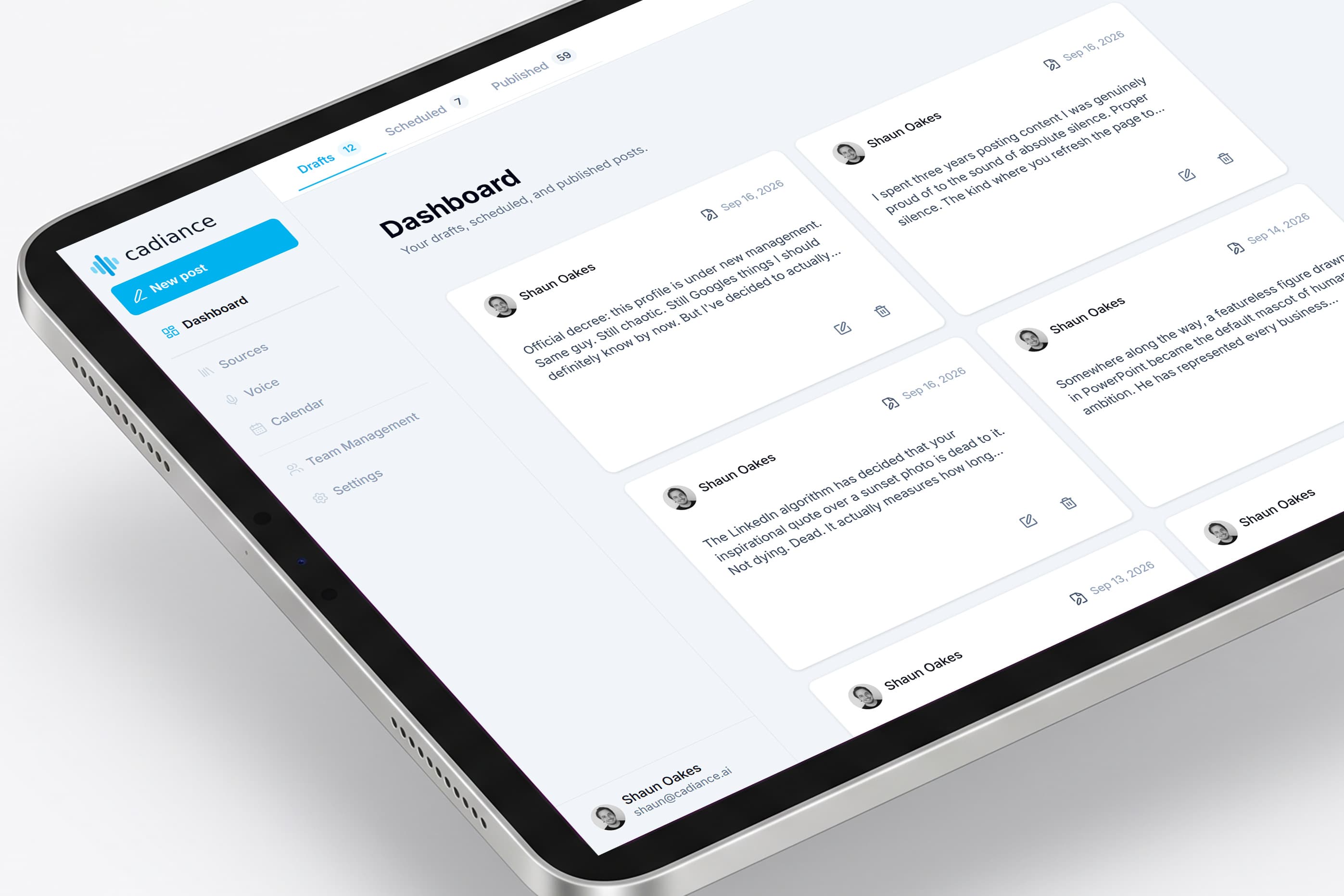
— LinkedIn, 2024
The same three things stop every professional who should be a name in their industry but isn't one yet.
Writing one post that's actually worth reading takes an hour you don't have. Between meetings, deals, and delivery, it's always the thing that slides to next week.
You open a post to write. What ends up on the page sounds like a corporate email, or a LinkedIn cliché, or someone else entirely. Not the person your colleagues actually listen to.
Your name is on it. Your clients read it. Your competitors read it. So you post nothing rather than post something that doesn't land — and yet another week goes by with your industry hearing from everyone else but you.
ChatGPT, Claude and Copilot give you posts that sound like… ChatGPT, Claude and Copilot. Other LinkedIn tools give you templates that everyone else is also using. A ghostwriter costs $2,000+ a month and still needs a couple of hours of your time every week.
None of them can write the way you think. That's what Cadiance does.
No prompt engineering, template libraries, or complicated workflows to learn. Just three simple steps. You can be up and running in 10 minutes or less.
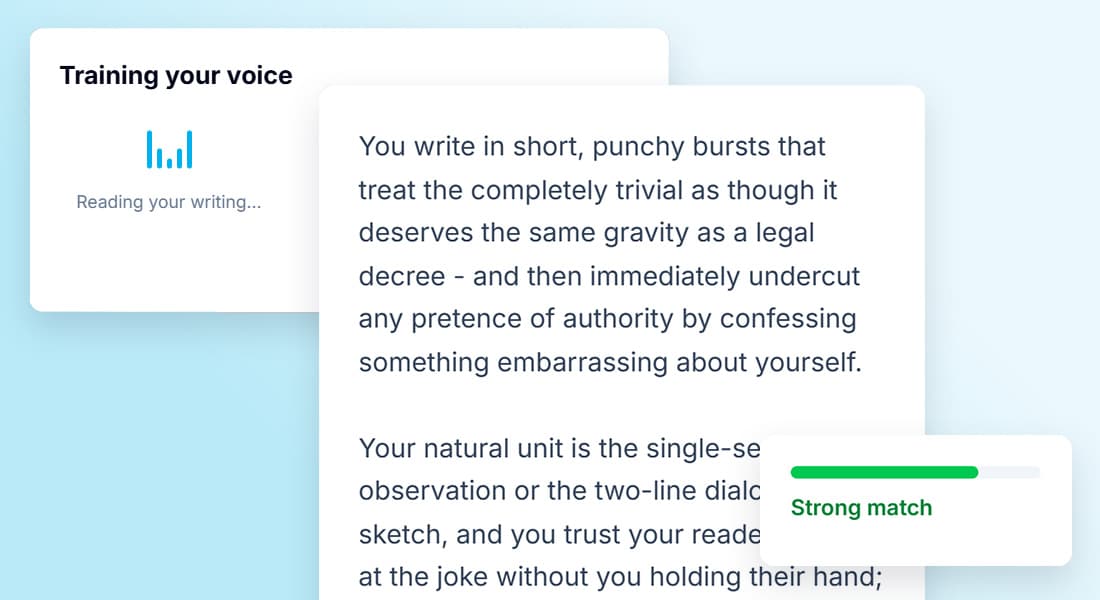
Upload or paste in a few things you've written — LinkedIn posts, emails, notes from a talk. Cadiance studies how you reason, how you build an argument, and the words you actually use.
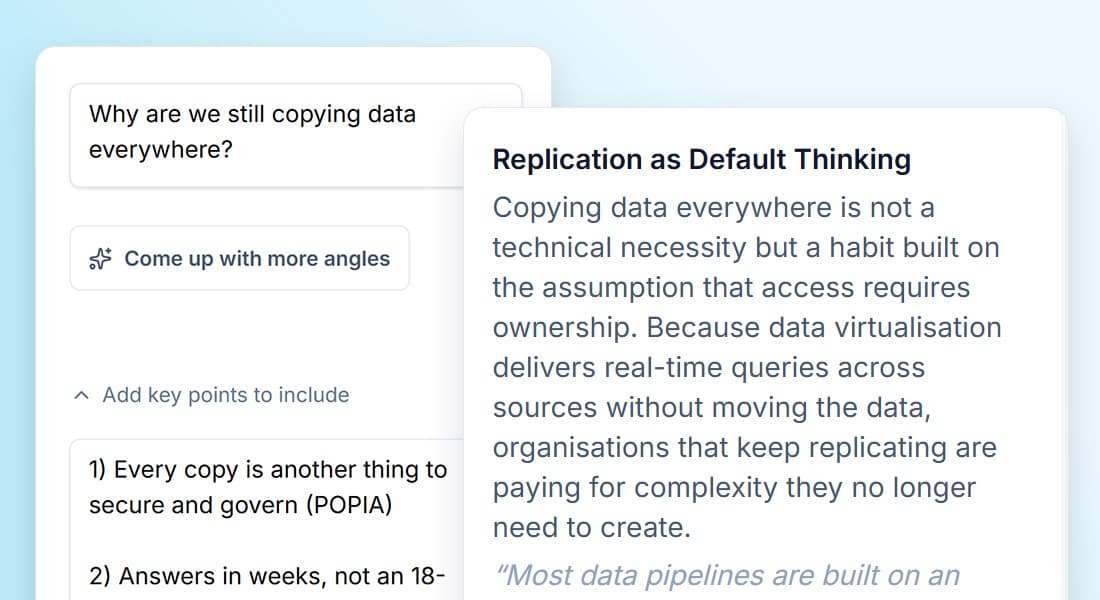
Share a rough thought, a client conversation from earlier, or a headline that made you want to push back. Or upload a report, a whitepaper, or an industry study — and get back compelling ideas worth building a post around. From there, you get a full draft in about ninety seconds, in your voice, with your reasoning.
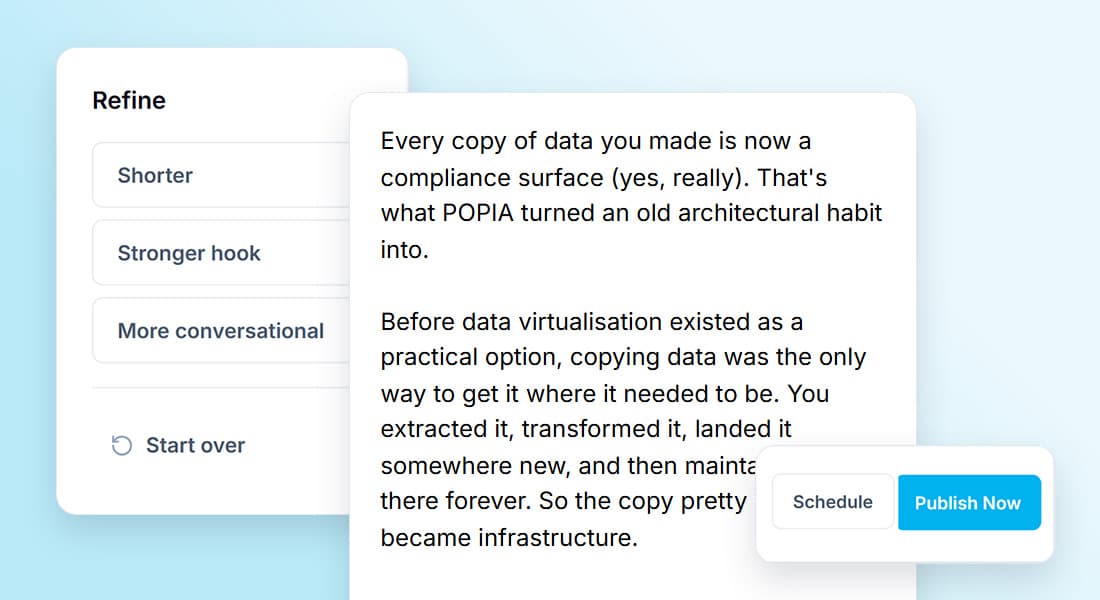
Every draft comes back to you. Edit it, rewrite it, kill it, or approve it as-is. Nothing gets posted to LinkedIn without you signing off. Every change and edit you make is remembered, so the next draft lands closer to how you'd have written it yourself.
See it in ninety seconds
7-day free trial · Card required · Nothing posts without your approval
Cadiance for Teams is ideal for leadership teams and departments who want to become more visible on LinkedIn.
Easily generate content ideas and draft posts in each person's voice that you write for. Plan and schedule everything from one calendar, with approvals built in. With Cadiance, you can publish and schedule posts without needing to login to their LinkedIn account.
Get your whole team posting regularly and becoming more prominent in the LinkedIn feed, each in their own unique voice. Turn a scattered team presence into a visible, consistent one, in the places your clients and customers are already looking.
Pricing
Both plans include a 7-day free trial.
Solo
For solo professionals
$49
/ month
7-day free trial · Card required · Nothing posts without your approval
Team
For teams and departments
$69
/ month per voice
Book a demo · Custom terms available for larger teams
FAQ
The answers to the things people ask before signing up. If yours isn't here, get in touch.
Yes, if you give it enough of your writing to learn from. Cadiance studies how you reason, how you build an argument, and the specific words and phrases you actually use — then improves with every edit you make.
Fair question, and worth answering directly. You could upload some of your writing to ChatGPT or Claude and ask them to draft a LinkedIn post in your voice. For one post, in one session, you'd get something reasonable. The problems start on post two. General LLMs don't remember you between sessions — every time, you're re-uploading, re-explaining, re-prompting. They don't learn from your edits. They don't know what makes a LinkedIn post actually work today — they're pattern-matching from a training set that includes millions of bad ones. Cadiance builds a persistent voice profile that gets refined every time you edit a draft, grounds posts in your actual documents, and applies specific engineering around what LinkedIn's algorithm and audience currently reward. Yes, we use large language models under the hood — including Claude. But the value isn't the model, it's everything built around it.
Yes. Every edit you make to a draft is remembered, and the next draft lands closer to how you'd have written it yourself. The tool gets more like you, not less, over time.
The specific ones — content where your personality actually shows. LinkedIn posts you've already published are the strongest starting point, followed by longer-form writing like emails to clients, memos, or notes from a talk. The more your samples sound like you thinking out loud, the better the voice profile. Generic content — press releases, marketing copy, drafts someone else wrote for you — is less useful because it isn't actually your voice.
About ten minutes. You upload some writing samples, Cadiance analyses them, and your voice profile is ready. After that, generating a draft takes about ninety seconds — most of it is you deciding whether to publish it, not Cadiance building it.
Yes. Cadiance publishes through LinkedIn's official publishing API — the same one LinkedIn provides to its own partners for scheduled posting. We don't automate likes, we don't send connection requests on your behalf, we don't scrape your data, and we don't run scripts against LinkedIn's interface. LinkedIn accounts get restricted for behaviour that pretends to be human when it isn't. Cadiance drafts posts — you decide when and whether to publish them.
Two separate things, both important.
Your LinkedIn account: Cadiance connects through LinkedIn's official publishing API, using OAuth. You authorise the connection, you can revoke it at any time from your LinkedIn settings, and Cadiance never sees or stores your LinkedIn password.
Your writing samples: they're used only to train your voice profile, they're stored securely, and they aren't used to train models for any other user. Your voice profile is yours, permanently bound to your account. If you cancel, you can request deletion of everything.
Yes. In Cadiance for Teams, a comms manager or admin can draft, schedule, and publish posts on behalf of each executive on the team — and the posts appear under the executive's own LinkedIn account, not the comms manager's. Each executive connects their LinkedIn to Cadiance once. From there, the comms team can work in each of their voices, run drafts through approval, and schedule content into each person's feed. Nothing is shared. Nothing crosses over. Every voice, every draft, every approval trail stays inside your workspace.
LinkedIn only. We built Cadiance specifically for the way professional voice works on LinkedIn — the format, the audience, the algorithmic dynamics. Trying to be a universal cross-platform tool would mean being average at all of them. We'd rather be exceptional at one.
If you decide Cadiance works for you, we charge the card on file and you continue on the plan you selected. If you don't, you close your account before the trial ends and nothing is charged. No fine print, no gotchas.
Ready to try?
7-day free trial · Card required · Nothing posts without your approval